Teenage girl in the middle of a pile of books. A young girl holds books in her hands, bookshelves can be seen in the background. She is surrounded by stacks of books.

District library and other libraries in the Salzland district

This page has been automatically translated. There may therefore be discrepancies and inaccuracies in the text. Only the original version is binding. Legal claims arising from the content of the translated version are excluded.

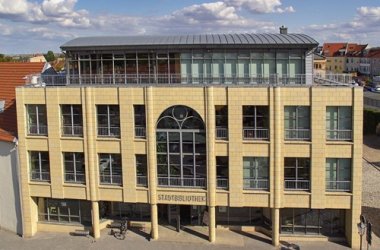
District library in Aschersleben

The library in Aschersleben, which is operated by the Salzland district, makes a sustainable contribution to fulfilling the educational, cultural and informational mission with its public, generally accessible central and decentralised media offerings. The library is orientated towards the needs of its users and brings together specialist knowledge and services and serves social and cultural communication.

  • Latest news

  • The following media are available in the district library

    A group of friends reading books together.
    • Current bestseller
    • Non-fiction and specialised literature for school, training, studies and work
    • Non-fiction for hobby and leisure
    • Fiction (novels, short stories, poetry, drama)
    • Foreign language literature
    • Children's and youth literature
    • Magazines
    • CDs, DVDs, Tonies
    • Board games for children and adults

Our offer

Interlibrary loan

Books that are not available in the district library can be obtained from other libraries in Germany.

Costs: Postage fee for returning the book

Promotion

The Aschersleben District Library is subsidised by the state of Saxony-Anhalt for the purchase of media.

Other libraries in the Salzlandkreis

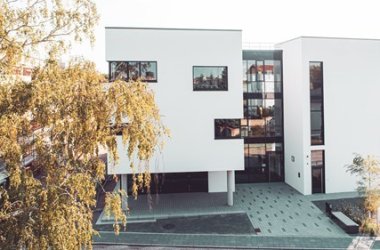
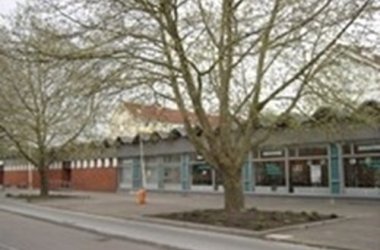
Bernburg (Saale) City Library
Schönebeck City Library


Help with accessibility

  • General

    We strive to make our websites accessible to all users. Details can be found in our accessibility statement. You can send us your suggestions for improvement using our accessibility feedback form.

  • Font size

    To adjust the font size, please use the following key combinations:

    Larger

    command
    +

    Smaller

    command

    Larger

    Ctrl
    +

    Smaller

    Ctrl
  • Keyboard navigation

    Use TAB and SHIFT + TAB to navigate through next/previous links, form elements, and buttons.

    Use ENTER to open links and interact with elements.

  • Contrast mode

    Press the following key combination to reduce or increase the contrast:

    Enlarge

    control
    option
    command
    .

    Decrease

    control
    option
    command
    ,
    Note: The shortcuts must be activated in the system settings of the operating system.

    Press the left ALT key + left SHIFT key + PRINT to quickly turn high contrast mode on or off.

  • Invert colours

    Press the following key combination to switch the colour inversion on and off:

    control
    option
    command
    8
    Note: The shortcuts must be activated in the system settings of the operating system.

    First activate the screen magnifier and then switch the colour inversion on and off with the following key combinations:

    1. screen magnifier

    +

    2. invert colours

    Ctrl
    Old
    I
  • Screen magnifier

    Press the following key combinations to use the screen magnifier:

    Switch on/off

    option
    command
    8

    Enlarge view

    option
    command
    =

    Zoom out view

    option
    command
    Note: The shortcuts must be activated in the system settings of the operating system.

    Switch on / Enlarge view

    +

    Zoom out view