Welcome to the special school "Lebensweg" Bernburg
Latest news
Projects
Creative workshop "Colourful life"
Our creative workshop was founded in October 2023 as part of the project work. The pupils of the vocational school level jointly decided on the name "Colourful Life", which reflects the workshop's diverse range of activities and the uniqueness of our school community.
Since then, handmade decorative and gift items have been created from various materials with a great deal of love and creativity. These can be ordered from us or purchased at sales bazaars. True to the guiding principle "Help me to do it myself!" (Maria Montessori), the pupils are supported by teachers and educators and take on responsibilities in the work process. Orders are processed, partially personalised, checked by our quality manager, packaged and "delivered" to the school building. To realise the individual work steps, the pupils complement each other in their skills and abilities and expand their teamwork skills in the process.
Sustainability is a top priority at our school
We attach great importance to sustainability at our Lebensweg special school. We try to utilise available resources and use them to create practical, decorative and culinary products.
Vocational school pupils learn manual and artistic skills and abilities. We use learning spaces such as the school playground, a small workshop in the basement, the school kitchen and a raised bed that we have created ourselves.
We are very proud of our raised bed, as the pupils built it themselves from Euro pallets. We sponsored the huge amount of topsoil and also had it delivered. Since then, it has been diligently planted and we are enjoying a bountiful harvest. In order to create more seating, we started to build cosy benches from the Euro pallets this school year. This allowed the pupils to apply and expand their knowledge of raised bed construction.
Our schoolyard has two huge walnut trees, a mirabelle plum tree and apple trees. We process the fruit into jam, compote, cake, walnut spread and roasted walnuts. The products are very popular with our pupils. They also find plenty of buyers at our Christmas bazaar.
We always endeavour to process leftover wood so that we can make lots of decorative products around Christmas time, which the pupils sell or are very happy to give as gifts.
Our pupils also feel responsible for feeding the birds in winter, which is why we have refurbished outdated bird feeders and now always fill them with bird food.
This is how we organise our everyday school life in harmony with nature.
A new way of life in colour and community
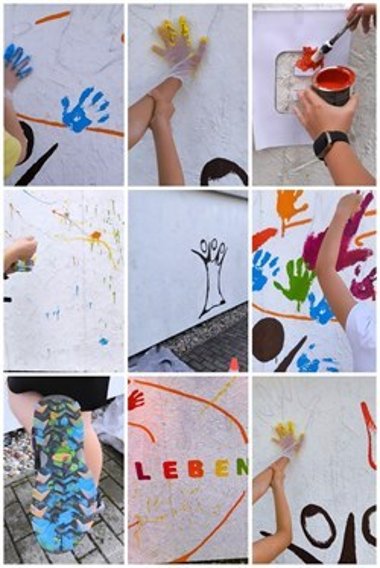
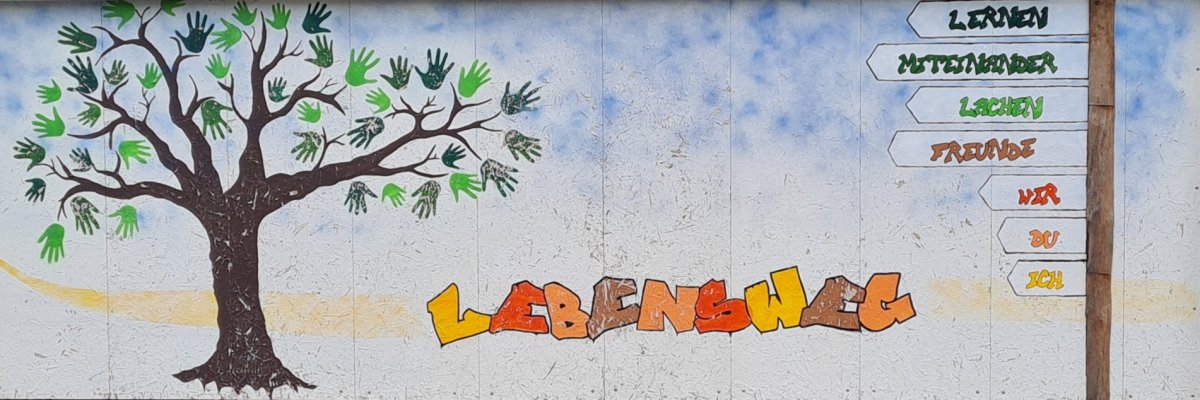
In the summer of 2024, the pupils of our "Lebensweg" special needs school creatively redesigned the school's exterior wall.
At the centre is the symbol of the tree of life, which is framed by the handprints of our pupils - a symbol of diversity and cohesion.
The creative process not only provided space for artistic development, but also promoted the children's motor skills. At the same time, the sense of community was strengthened as each pupil made their own contribution to this colourful work of art.
The resulting mural shines in vibrant colours and testifies to the diversity and uniqueness of our school community. It is not only an expression of creativity, but also a symbol of the common path we are taking as a school.
Project: DigitalPakt School
For the implementation of the DigitalPakt School funding programme (DigitalPakt guideline), the state of Saxony-Anhalt provides grants from federal funds for municipal schools in the Salzlandkreis district.
The federal government is providing funding for the schools run by the Salzland district to set up or improve the passive and active infrastructure components. The central server system required for this is provided in Kreishaus 3. This is part-financing. The district of Salzlandkreis will provide any further funding required.