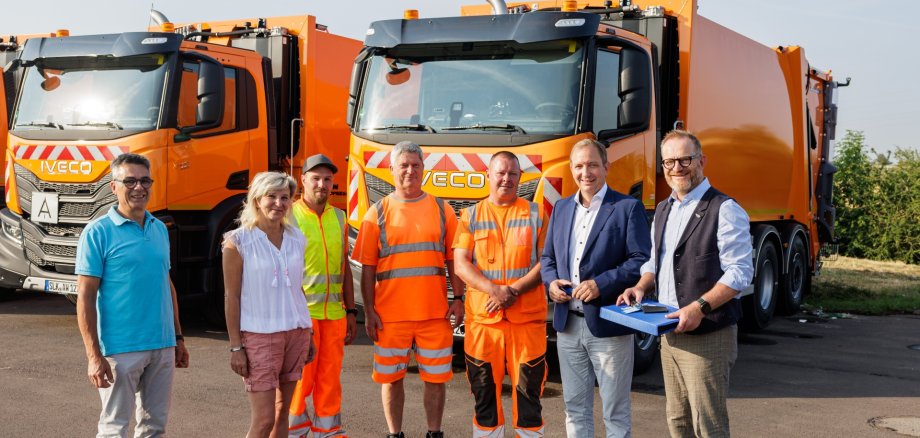
Bernburg. They still smell brand new and are fitted with the latest technology: a total of four modern refuse compactor lorries have arrived at the Salzlandkreis District Public Works Department (KWB) to join its fleet.
District Administrator Markus Bauer and Operations Manager Dirk Trappe are delighted, along with the refuse collection staff and their colleagues, at the new addition. “We are making our waste management operations fit for the future,” explains District Administrator Markus Bauer. “Not only do we need to regularly review our structures and correct any missteps, but we also need the necessary technical equipment to optimise costs and work effectively.”
The District Administrator and the Operations Manager are united by a common goal: reliable waste disposal, a clean district and fees that remain as stable as possible. “The District Public Utility belongs to the residents of the Salzlandkreis. We treat every euro as responsibly as if it were our own,” assures the District Administrator.
KWB has invested around 1.2 million euros. The bright orange vehicles are replacing models that have been in service for many years. The new vehicles are based in Bernburg, Aschersleben, Staßfurt and Schönebeck, and will shortly be setting out from there to serve households and waste collection points across the district.
“Driving a new vehicle home that smells just like that – that’s always something very special,” says operations manager Dirk Trappe. Together with the future drivers, he collected the vehicles from the bodybuilder FAUN, a family-run business, to make them available to the staff in recognition of their hard work.
A refuse collector empties between 600 and 800 bins in a single day. “That’s a physical feat that shouldn’t be underestimated,” says Trappe. “The new vehicles will make the job a bit easier for our colleagues.” Modern technology, up to the latest standards – and one small detail that makes a big difference on hot days: a drinks holder for the colleagues who empty the bins. “It may sound like a minor detail, but in summer it’s worth its weight in gold,” says the operations manager, emphasising a very important point: “Our vehicles spend a lot of time in residential areas, often where children are playing and cyclists are out and about. Any system that alerts the driver – such as the side-mounted camera and sensor technology for detecting people – is a real asset.”