This page has been automatically translated. There may therefore be discrepancies and inaccuracies in the text. Only the original version is binding. Legal claims arising from the content of the translated version are excluded.

French-style trios at the Salzland Museum
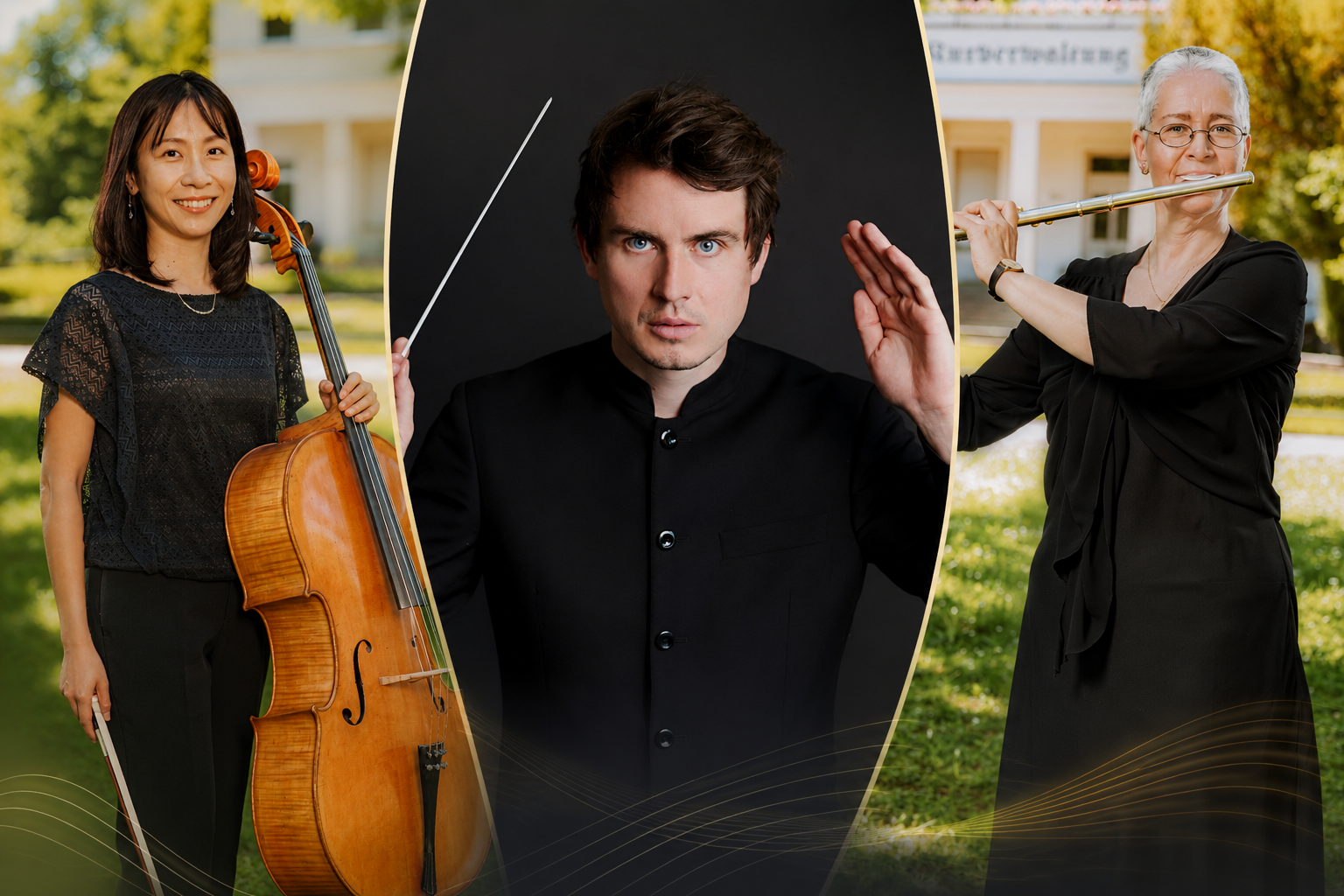
Photo collage – Mariko Okabayashi, cello / Felix Koltun, piano / Gabriele Zucker, flute
Central German Chamber Philharmonic Orchestra

French-style trios at the Salzland Museum

Sun 15 Nov 2026 | 11.00 am | Admission: 10 euros

The Central German Chamber Philharmonic kicks off its new chamber concert season

The Mitteldeutsche Kammerphilharmonie Schönebeck opens its new chamber concert season with a musical journey to France. Entitled ‘Trios à la française’, a varied matinee concert awaits the audience on Sunday 15 November at 11.00 am in the Galeriesaal of the Salzland Museum in Bad Salzelmen. The programme centres on works for the unusual combination of flute, cello and piano.

The programme opens with Johann Nepomuk Hummel’s Trio for Flute, Cello and Piano, Op. 78, which reflects the transition from the Classical to the Romantic period with elegance and virtuosity. This is followed by Gabriel Pierné’s finely nuanced Sonate da Camera, Op. 48, and Philippe Gaubert’s impressionistically shimmering *Trois Aquarelles*, which impressively combine French timbres with lyrical expressiveness.

The performers are Mariko Okabayashi (cello), Gabriele Zucker (flute) and Felix Koltun, the new principal conductor of the Mitteldeutsche Kammerphilharmonie Schönebeck, on the piano. Together, they will kick off the new chamber music series with a programme brimming with charm, sophistication and French musical poetry.

Tickets, priced at 10 euros, are available exclusively from the Salzlandmuseum.

Please book in advance:

  • Tel.: 03471 684-624410
  • Email: museum@kreis-slk.de


Please note: The venue is not accessible to people with disabilities.

Help with accessibility

  • General

    We strive to make our websites accessible to all users. Details can be found in our accessibility statement. You can send us your suggestions for improvement using our accessibility feedback form.

  • Font size

    To adjust the font size, please use the following key combinations:

    Larger

    ⌘command
    +

    Smaller

    ⌘command
    –

    Larger

    Ctrl
    +

    Smaller

    Ctrl
    –
  • Keyboard navigation

    Use TAB and SHIFT + TAB to navigate through next/previous links, form elements, and buttons.

    Use ENTER to open links and interact with elements.

  • Contrast mode

    Press the following key combination to reduce or increase the contrast:

    Enlarge

    ⌃control
    ⌥option
    ⌘command
    .

    Decrease

    ⌃control
    ⌥option
    ⌘command
    ,
    Note: The shortcuts must be activated in the system settings of the operating system.

    Press the left ALT key + left SHIFT key + PRINT to quickly turn high contrast mode on or off.

  • Invert colours

    Press the following key combination to switch the colour inversion on and off:

    ⌃control
    ⌥option
    ⌘command
    8
    Note: The shortcuts must be activated in the system settings of the operating system.

    First activate the screen magnifier and then switch the colour inversion on and off with the following key combinations:

    1. screen magnifier

    +

    2. invert colours

    Ctrl
    Old
    I
  • Screen magnifier

    Press the following key combinations to use the screen magnifier:

    Switch on/off

    ⌥option
    ⌘command
    8

    Enlarge view

    ⌥option
    ⌘command
    =

    Zoom out view

    ⌥option
    ⌘command
    –
    Note: The shortcuts must be activated in the system settings of the operating system.

    Switch on / Enlarge view

    +

    Zoom out view

    –