
Pömmelte ring shrine
© Thomas Engst (engst. FOTOGRAFIE)

Pömmelte ring shrine

events

This page has been automatically translated. There may therefore be discrepancies and inaccuracies in the text. Only the original version is binding. Legal claims arising from the content of the translated version are excluded.

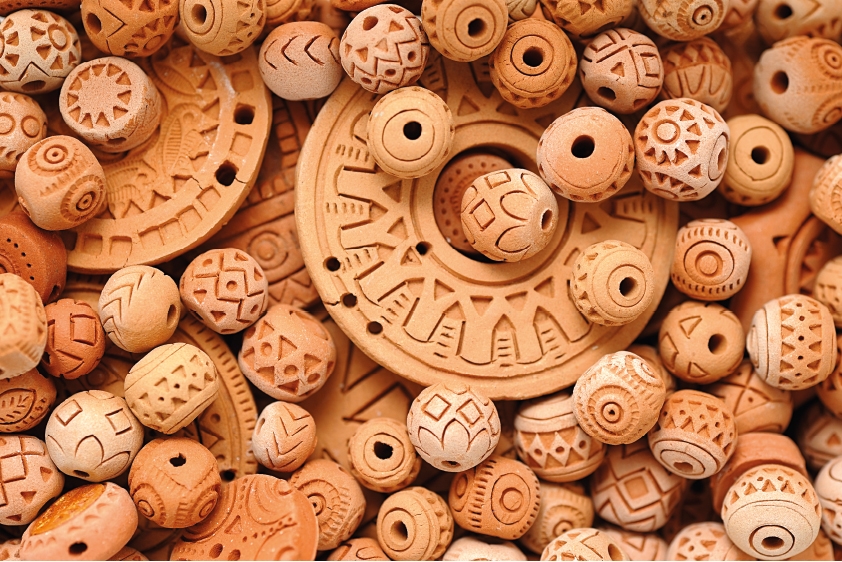
Workshop: ‘Amulets, Clay Beads and Strings’
Workshop: ‘Amulets, Clay Beads and Strings’

Making jewellery from clay and string with Jutta Immelmann | Cost: EUR 5.00 | Registration required


Amulets are said to bring good luck to those who wear them and protect them through magical powers. At this year’s creative workshop at the Pömmelte Ring Sanctuary, the programme will feature amulets, clay beads and cords, all of which are believed to bring good luck.

On 21 August, workshop participants, led by artist Jutta Immelmann, will be exploring jewellery-making, specifically the creation of a cord-ceramic amulet.

Drawing inspiration from the archaeological finds of corded-ware pottery on the site of the Ring Sanctuary, they are to use this set of forms to design their own amulet and, once completed, take it home with them as a source of personal empowerment.

The workshop begins with an introduction to the Pömmelte ring ditch settlement and its corded ware, as well as to jewellery and its symbolic significance. Participants develop their own ideas through drawing, and, based on these ideas and sketches, create a personalised amulet using self-hardening clay, which is then adorned with clay beads on a braided cord. All made by the participants themselves, of course.

The workshop at the Pömmelte Ring Sanctuary thus offers a creative exploration of the corded ware finds discovered at the site, through a form of expression that reflects our modern understanding of jewellery and its role in fostering social bonds.
Date: 21 August 2026

Time: 10:00 am – 1:00 pm

Help with accessibility

  • General

    We strive to make our websites accessible to all users. Details can be found in our accessibility statement. You can send us your suggestions for improvement using our accessibility feedback form.

  • Font size

    To adjust the font size, please use the following key combinations:

    Larger

    ⌘command
    +

    Smaller

    ⌘command
    –

    Larger

    Ctrl
    +

    Smaller

    Ctrl
    –
  • Keyboard navigation

    Use TAB and SHIFT + TAB to navigate through next/previous links, form elements, and buttons.

    Use ENTER to open links and interact with elements.

  • Contrast mode

    Press the following key combination to reduce or increase the contrast:

    Enlarge

    ⌃control
    ⌥option
    ⌘command
    .

    Decrease

    ⌃control
    ⌥option
    ⌘command
    ,
    Note: The shortcuts must be activated in the system settings of the operating system.

    Press the left ALT key + left SHIFT key + PRINT to quickly turn high contrast mode on or off.

  • Invert colours

    Press the following key combination to switch the colour inversion on and off:

    ⌃control
    ⌥option
    ⌘command
    8
    Note: The shortcuts must be activated in the system settings of the operating system.

    First activate the screen magnifier and then switch the colour inversion on and off with the following key combinations:

    1. screen magnifier

    +

    2. invert colours

    Ctrl
    Old
    I
  • Screen magnifier

    Press the following key combinations to use the screen magnifier:

    Switch on/off

    ⌥option
    ⌘command
    8

    Enlarge view

    ⌥option
    ⌘command
    =

    Zoom out view

    ⌥option
    ⌘command
    –
    Note: The shortcuts must be activated in the system settings of the operating system.

    Switch on / Enlarge view

    +

    Zoom out view

    –