
World time clock in Aschersleben
Half-timbered houses in Schönebeck
Pömmelte ring shrine
Lock in Bernburg (Saale)
Saalefee on the river Saale
This page has been automatically translated. There may therefore be discrepancies and inaccuracies in the text. Only the original version is binding. Legal claims arising from the content of the translated version are excluded.

Knowing how to vote

Bernburg. A leaflet entitled ‘Just go and vote! What you need to know about the state election!’ containing information in plain language is available to help people and can be collected free of charge in Bernburg, in the foyer of the district administration building at Karlsplatz 37 – whilst stocks last. Torsten Sielmon, the district’s volunteer disability officer, draws attention to this and to other support services available for people with disabilities and those eligible to vote.
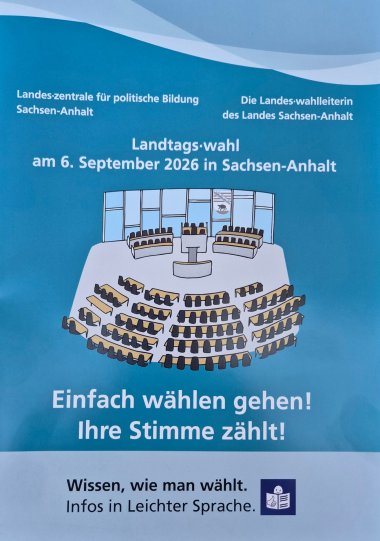
"Just go and vote! Your vote counts!"

Ahead of the state parliamentary election on 6 September 2026, the State Centre for Political Education and the State Returning Officer for Saxony-Anhalt, in close cooperation with the State Parliament and the State Commissioner for People with Disabilities, have published an updated election leaflet in easy-to-read language: “Just go and vote! Your vote counts!”. The booklet serves as an accessible election guide and is intended, in particular, to facilitate unrestricted access to democratic participation for people with disabilities or learning difficulties.

This leaflet represents a further step towards ensuring accessible information for all eligible voters ahead of the forthcoming state election. The guide is also available as an accessible e-book at www.wahlen.sachsen-anhalt.de.

There are also three short sign language videos available there for deaf and hard-of-hearing people, providing information on the state election and how to cast a vote.

Ballot paper templates are once again being produced for blind and visually impaired voters; these will be sent free of charge to all interested voters by the Saxony-Anhalt Association for the Blind and Visually Impaired (Blinden- und Sehbehindertenverband Sachsen-Anhalt e.V.). Each template is accompanied by an audio CD containing information on the structure and use of the ballot paper. The audio description of the ballot papers can also be used by voters with reading difficulties.

Please direct any enquiries to:

Mr Torsten Sielmon

Honorary Disability Officer for the Salzland District

+49 173 8910-964

Help with accessibility

  • General

    We strive to make our websites accessible to all users. Details can be found in our accessibility statement. You can send us your suggestions for improvement using our accessibility feedback form.

  • Font size

    To adjust the font size, please use the following key combinations:

    Larger

    command
    +

    Smaller

    command

    Larger

    Ctrl
    +

    Smaller

    Ctrl
  • Keyboard navigation

    Use TAB and SHIFT + TAB to navigate through next/previous links, form elements, and buttons.

    Use ENTER to open links and interact with elements.

  • Contrast mode

    Press the following key combination to reduce or increase the contrast:

    Enlarge

    control
    option
    command
    .

    Decrease

    control
    option
    command
    ,
    Note: The shortcuts must be activated in the system settings of the operating system.

    Press the left ALT key + left SHIFT key + PRINT to quickly turn high contrast mode on or off.

  • Invert colours

    Press the following key combination to switch the colour inversion on and off:

    control
    option
    command
    8
    Note: The shortcuts must be activated in the system settings of the operating system.

    First activate the screen magnifier and then switch the colour inversion on and off with the following key combinations:

    1. screen magnifier

    +

    2. invert colours

    Ctrl
    Old
    I
  • Screen magnifier

    Press the following key combinations to use the screen magnifier:

    Switch on/off

    option
    command
    8

    Enlarge view

    option
    command
    =

    Zoom out view

    option
    command
    Note: The shortcuts must be activated in the system settings of the operating system.

    Switch on / Enlarge view

    +

    Zoom out view