This page has been automatically translated. There may therefore be discrepancies and inaccuracies in the text. Only the original version is binding. Legal claims arising from the content of the translated version are excluded.

Open day at the district music school

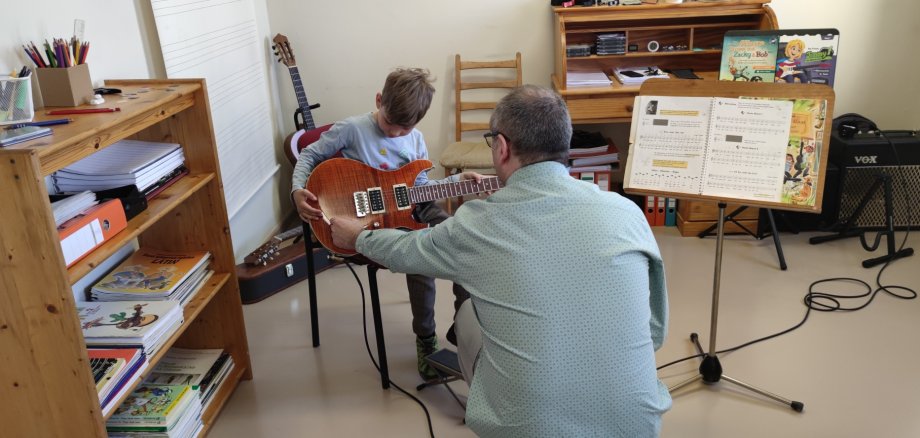
Schönebeck. On Saturday, 26 September, the ‘Béla Bartók’ District Music School in Schönebeck (Tischlerstr. 13a) is holding an open day. From 10 am to 12.30 pm, anyone interested – young and old alike – will have the opportunity to discover the wide range of courses and instruments offered by the district music school in person.

Right at the start, pupils take to the stage for a short opening concert to show what they have learnt so far. Teachers give visitors an insight into the music school’s teaching programme, explain how lessons are structured and answer questions. The music playground is open for families with young children: whilst the little ones try out various instruments, parents can find out about the programmes available for two- to six-year-olds.

It’s also worth having a look at the District Music School’s website, www.musikschule-salzlandkreis.de, beforehand.

“Béla Bartók” District Music School, Salzlandkreis

13a Tischlerstraße

39218 Schönebeck (Elbe)

Help with accessibility

  • General

    We strive to make our websites accessible to all users. Details can be found in our accessibility statement. You can send us your suggestions for improvement using our accessibility feedback form.

  • Font size

    To adjust the font size, please use the following key combinations:

    Larger

    command
    +

    Smaller

    command

    Larger

    Ctrl
    +

    Smaller

    Ctrl
  • Keyboard navigation

    Use TAB and SHIFT + TAB to navigate through next/previous links, form elements, and buttons.

    Use ENTER to open links and interact with elements.

  • Contrast mode

    Press the following key combination to reduce or increase the contrast:

    Enlarge

    control
    option
    command
    .

    Decrease

    control
    option
    command
    ,
    Note: The shortcuts must be activated in the system settings of the operating system.

    Press the left ALT key + left SHIFT key + PRINT to quickly turn high contrast mode on or off.

  • Invert colours

    Press the following key combination to switch the colour inversion on and off:

    control
    option
    command
    8
    Note: The shortcuts must be activated in the system settings of the operating system.

    First activate the screen magnifier and then switch the colour inversion on and off with the following key combinations:

    1. screen magnifier

    +

    2. invert colours

    Ctrl
    Old
    I
  • Screen magnifier

    Press the following key combinations to use the screen magnifier:

    Switch on/off

    option
    command
    8

    Enlarge view

    option
    command
    =

    Zoom out view

    option
    command
    Note: The shortcuts must be activated in the system settings of the operating system.

    Switch on / Enlarge view

    +

    Zoom out view