World time clock in Aschersleben
Half-timbered houses in Schönebeck
Lock in Bernburg (Saale)
Saalefee on the river Saale
This page has been automatically translated. There may therefore be discrepancies and inaccuracies in the text. Only the original version is binding. Legal claims arising from the content of the translated version are excluded.

SuedOstLink: 50Hertz invites to open construction site days near Magdeburg

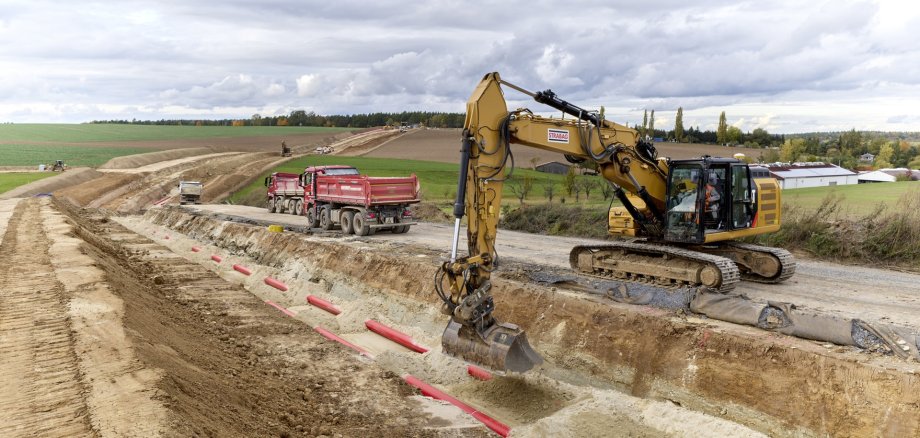
50Hertz press release: Construction work on the SuedOstLink has been underway for some time now. In many places, the excavators can be seen from the road. But how are the cables laid underground? What technology is being used? And how is the environment being protected? 50Hertz is explaining this on site along the route during a series of open-site days.

Visitors can find out all about the project at information stands and get to know the people and companies behind the project. There will also be an interactive 3D dredging simulation for self-dredging, a family programme with face painting and ice bikes as well as free food from the food truck.

Open construction site days are planned south of Magdeburg:

  • on Friday, 24 April 2026 from 14:00 to 18:00

between Hohenerxleben (a district of Staßfurt) and Neugattersleben (Nienburg).

Important: Please use the car park at the site office on Landesstraße 73 near the A14 motorway, Staßfurt exit. A shuttle bus runs regularly from there to the construction site.

  • on Friday, 8 May 2026 from 14:00 to 18:00

south of Sülzetal in the district of Börde, on the B81.

Important: Please use the car park at Über der Dingelstelle 3, 39171 Sülzetal. A shuttle bus runs regularly from there to the construction site.


Sturdy shoes are a prerequisite!


Information on the exact route and other dates for the SuedOstLink open days can be found at:

More about the project at:

Help with accessibility

  • General

    We strive to make our websites accessible to all users. Details can be found in our accessibility statement. You can send us your suggestions for improvement using our accessibility feedback form.

  • Font size

    To adjust the font size, please use the following key combinations:

    Larger

    command
    +

    Smaller

    command

    Larger

    Ctrl
    +

    Smaller

    Ctrl
  • Keyboard navigation

    Use TAB and SHIFT + TAB to navigate through next/previous links, form elements, and buttons.

    Use ENTER to open links and interact with elements.

  • Contrast mode

    Press the following key combination to reduce or increase the contrast:

    Enlarge

    control
    option
    command
    .

    Decrease

    control
    option
    command
    ,
    Note: The shortcuts must be activated in the system settings of the operating system.

    Press the left ALT key + left SHIFT key + PRINT to quickly turn high contrast mode on or off.

  • Invert colours

    Press the following key combination to switch the colour inversion on and off:

    control
    option
    command
    8
    Note: The shortcuts must be activated in the system settings of the operating system.

    First activate the screen magnifier and then switch the colour inversion on and off with the following key combinations:

    1. screen magnifier

    +

    2. invert colours

    Ctrl
    Old
    I
  • Screen magnifier

    Press the following key combinations to use the screen magnifier:

    Switch on/off

    option
    command
    8

    Enlarge view

    option
    command
    =

    Zoom out view

    option
    command
    Note: The shortcuts must be activated in the system settings of the operating system.

    Switch on / Enlarge view

    +

    Zoom out view