This page has been automatically translated. There may therefore be discrepancies and inaccuracies in the text. Only the original version is binding. Legal claims arising from the content of the translated version are excluded.

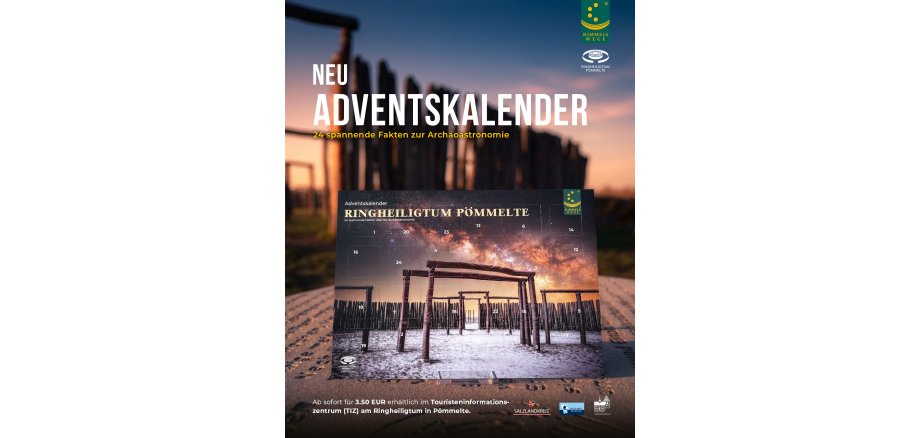
New: ‘Pömmelte Ring Sanctuary’ Advent calendar

As the days grow shorter in December, our gaze inevitably turns to the sky. It was precisely this fascination that the builders of the Pömmelte Ring Sanctuary translated into monumental architecture over 4,000 years ago.

This year’s new Advent calendar is entirely devoted to archaeoastronomy.

Behind 24 little doors lie solid, scientific facts about one of Europe’s most significant prehistoric observatories. It provides fascinating insights into how people in the Early Bronze Age calculated the solstices with precision, which astronomical sightlines run through the wooden structure, and just how profound the cosmic knowledge of that era really was.

This monumental work of archaeoastronomy is a key highlight of the Himmelswege tourist route. Anyone wishing to see the original archaeological finds relating to this fascinating world view with their own eyes can find them in the modern permanent exhibition at the Salzlandmuseum in Schönebeck (Elbe).

Bringing history to life in this way is only possible with the help of strong partners: special thanks go to the Förderverein Salzlandmuseum e.V. for its ongoing and active support of this historical educational work!

Get yours now for the run-up to Christmas:

The Advent calendar* is now available for €3.50 directly from the Tourist Information Centre (TIZ) at the Ringheiligtum in Pömmelte. An absolute must-have for anyone who loves real history and wants to enrich their Advent with scientific discoveries.

*Limited stock

Help with accessibility

  • General

    We strive to make our websites accessible to all users. Details can be found in our accessibility statement. You can send us your suggestions for improvement using our accessibility feedback form.

  • Font size

    To adjust the font size, please use the following key combinations:

    Larger

    ⌘command
    +

    Smaller

    ⌘command
    –

    Larger

    Ctrl
    +

    Smaller

    Ctrl
    –
  • Keyboard navigation

    Use TAB and SHIFT + TAB to navigate through next/previous links, form elements, and buttons.

    Use ENTER to open links and interact with elements.

  • Contrast mode

    Press the following key combination to reduce or increase the contrast:

    Enlarge

    ⌃control
    ⌥option
    ⌘command
    .

    Decrease

    ⌃control
    ⌥option
    ⌘command
    ,
    Note: The shortcuts must be activated in the system settings of the operating system.

    Press the left ALT key + left SHIFT key + PRINT to quickly turn high contrast mode on or off.

  • Invert colours

    Press the following key combination to switch the colour inversion on and off:

    ⌃control
    ⌥option
    ⌘command
    8
    Note: The shortcuts must be activated in the system settings of the operating system.

    First activate the screen magnifier and then switch the colour inversion on and off with the following key combinations:

    1. screen magnifier

    +

    2. invert colours

    Ctrl
    Old
    I
  • Screen magnifier

    Press the following key combinations to use the screen magnifier:

    Switch on/off

    ⌥option
    ⌘command
    8

    Enlarge view

    ⌥option
    ⌘command
    =

    Zoom out view

    ⌥option
    ⌘command
    –
    Note: The shortcuts must be activated in the system settings of the operating system.

    Switch on / Enlarge view

    +

    Zoom out view

    –