World time clock in Aschersleben
Half-timbered houses in Schönebeck
Pömmelte ring shrine
Lock in Bernburg (Saale)
Saalefee on the river Saale
This page has been automatically translated. There may therefore be discrepancies and inaccuracies in the text. Only the original version is binding. Legal claims arising from the content of the translated version are excluded.

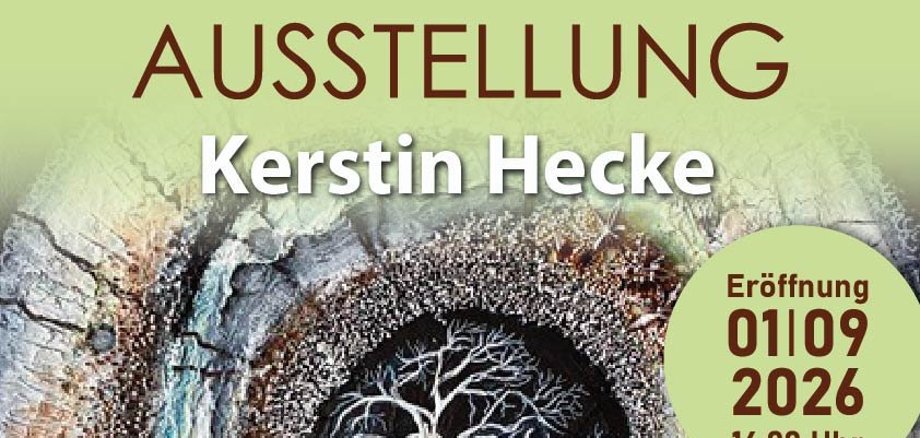
Magic Circles from September

Aschersleben. Kerstin Hecke, an amateur artist, is no stranger to Aschersleben or the KVHS. She has already showcased her work in various exhibitions. For example, works on permanent loan adorn the walls of the district music school in Aschersleben.
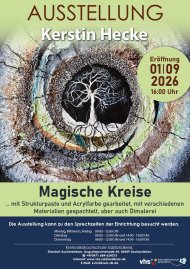
Exhibition – Magical Circles

Kerstin Hecke enjoys working with acrylic paint and modelling paste, as well as oil paints, airbrush paints and gouache. She also incorporates various materials, such as sand, stones, hemp and the like, which encourage experimentation and give rise to interesting, unique works of art. New pieces are constantly being added.

The artist has now finalised her selection of works for the KVHS in Aschersleben: magical circles created using texture paste and acrylic paint, applied with a palette knife using various materials, as well as oil paintings.

The exhibition ‘Magical Circles’ opens on 1 September at 4.00 pm at the District Adult Education Centre in Aschersleben. Kerstin Hecke’s works adorn the corridors of the district’s educational institution and will be on display there until early 2027.

Anyone interested is very welcome to visit at any time during the KVHS’s opening hours:

Monday

From 9:00 a.m. to 12:00 p.m.

Tuesday

From 09:00 to 12:00 From 14:00 to 18:00

Wednesday

From 9:00 a.m. to 12:00 p.m.

Thursday

From 09:00 to 12:00 From 14:00 to 16:00

Friday

From 9:00 a.m. to 12:00 p.m.

Help with accessibility

  • General

    We strive to make our websites accessible to all users. Details can be found in our accessibility statement. You can send us your suggestions for improvement using our accessibility feedback form.

  • Font size

    To adjust the font size, please use the following key combinations:

    Larger

    command
    +

    Smaller

    command

    Larger

    Ctrl
    +

    Smaller

    Ctrl
  • Keyboard navigation

    Use TAB and SHIFT + TAB to navigate through next/previous links, form elements, and buttons.

    Use ENTER to open links and interact with elements.

  • Contrast mode

    Press the following key combination to reduce or increase the contrast:

    Enlarge

    control
    option
    command
    .

    Decrease

    control
    option
    command
    ,
    Note: The shortcuts must be activated in the system settings of the operating system.

    Press the left ALT key + left SHIFT key + PRINT to quickly turn high contrast mode on or off.

  • Invert colours

    Press the following key combination to switch the colour inversion on and off:

    control
    option
    command
    8
    Note: The shortcuts must be activated in the system settings of the operating system.

    First activate the screen magnifier and then switch the colour inversion on and off with the following key combinations:

    1. screen magnifier

    +

    2. invert colours

    Ctrl
    Old
    I
  • Screen magnifier

    Press the following key combinations to use the screen magnifier:

    Switch on/off

    option
    command
    8

    Enlarge view

    option
    command
    =

    Zoom out view

    option
    command
    Note: The shortcuts must be activated in the system settings of the operating system.

    Switch on / Enlarge view

    +

    Zoom out view