This page has been automatically translated. There may therefore be discrepancies and inaccuracies in the text. Only the original version is binding. Legal claims arising from the content of the translated version are excluded.

KVHS Bernburg: Fancy making your own honey?

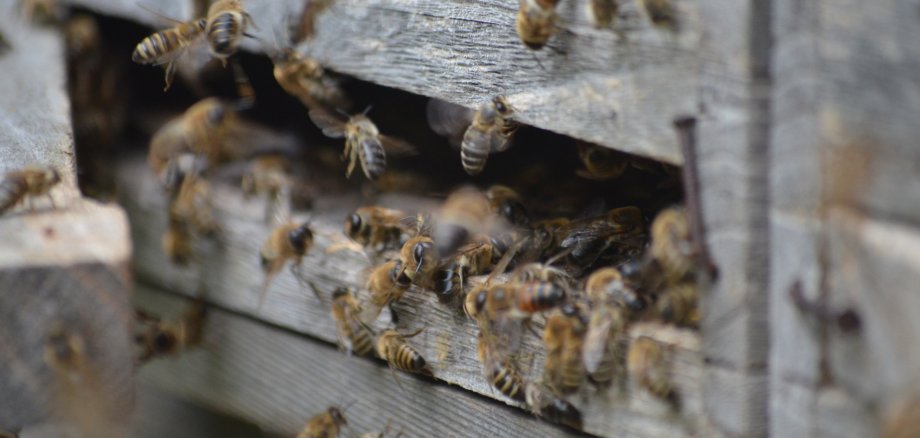
Bernburg. Bees are essential to the ecosystem, and beekeeping is a fascinating hobby for many, offering not only a sweet reward but also an insight into a fascinating microcosm. You can learn to keep bees successfully by attending the beginners’ course at the district adult education centre.

The ‘Introduction to Beekeeping’ course offers new beekeepers the opportunity to acquire the necessary specialist knowledge and basic skills for keeping bees. It consists of a theoretical and a practical component and is divided into distinct modules. Organic beekeeper Guido Belkner provides a comprehensive and in-depth introduction to the subject, combining theoretical principles with practical content, particularly in the second part.

Six courses take place at the KVHS in Bernburg, in front of Nienburger Tor 13a: fortnightly from 15 April, 5.30 to 8 pm.

The practical part with seven modules takes place at the "Belkner" organic apiary in Wettin-Löbejün, where training hives and the necessary technical equipment are available. It starts there on Saturday, 25 April at 10 am. Under the professional guidance of the beekeeper, participants will work directly on the hive and put the theoretical knowledge they have learnt into practice. These practical course days can be booked individually.

The course follows a fixed syllabus and is recognised as a new beekeeper course by the Saxony-Anhalt Beekeepers' Association. The certificate can be used to apply to the state association to become a hobby beekeeper.


Introduction to beekeeping - theory and practice | Course start: Wed, 15.4.2026, 5.30 pm I KVHS, Bernburg, Vor dem Nienburger Tor 13a

Registration is absolutely necessary:

+49 3471 684-624210

kvhs.salzlandkreis.de

Help with accessibility

  • General

    We strive to make our websites accessible to all users. Details can be found in our accessibility statement. You can send us your suggestions for improvement using our accessibility feedback form.

  • Font size

    To adjust the font size, please use the following key combinations:

    Larger

    ⌘command
    +

    Smaller

    ⌘command
    –

    Larger

    Ctrl
    +

    Smaller

    Ctrl
    –
  • Keyboard navigation

    Use TAB and SHIFT + TAB to navigate through next/previous links, form elements, and buttons.

    Use ENTER to open links and interact with elements.

  • Contrast mode

    Press the following key combination to reduce or increase the contrast:

    Enlarge

    ⌃control
    ⌥option
    ⌘command
    .

    Decrease

    ⌃control
    ⌥option
    ⌘command
    ,
    Note: The shortcuts must be activated in the system settings of the operating system.

    Press the left ALT key + left SHIFT key + PRINT to quickly turn high contrast mode on or off.

  • Invert colours

    Press the following key combination to switch the colour inversion on and off:

    ⌃control
    ⌥option
    ⌘command
    8
    Note: The shortcuts must be activated in the system settings of the operating system.

    First activate the screen magnifier and then switch the colour inversion on and off with the following key combinations:

    1. screen magnifier

    +

    2. invert colours

    Ctrl
    Old
    I
  • Screen magnifier

    Press the following key combinations to use the screen magnifier:

    Switch on/off

    ⌥option
    ⌘command
    8

    Enlarge view

    ⌥option
    ⌘command
    =

    Zoom out view

    ⌥option
    ⌘command
    –
    Note: The shortcuts must be activated in the system settings of the operating system.

    Switch on / Enlarge view

    +

    Zoom out view

    –