World time clock in Aschersleben
Half-timbered houses in Schönebeck
Pömmelte ring shrine
Lock in Bernburg (Saale)
Saalefee on the river Saale
This page has been automatically translated. There may therefore be discrepancies and inaccuracies in the text. Only the original version is binding. Legal claims arising from the content of the translated version are excluded.

Congratulations at new GP practice

Bernburg. A brief visit to Friederike Schönburg-Liedtke's newly opened GP practice in Bernburg's Postcarré: "The area is filling up with important medical services. Thank you for the invitation and the opportunity to get to know your new practice premises in the district town," says District Administrator Markus Bauer, as he also congratulates the new owner on her milestone birthday and belatedly on passing her specialist examination as a general practitioner.

Friederike Schönburg-Liedtke was recently also supported by the city of Bernburg through a scholarship programme on her path from young assistant doctor to general practitioner. "Providing medical care to the local population is extremely important. We are working on this together and need long-term solutions. Thank you for your personal commitment," emphasised the district administrator. "I wish the new practice, you and your team every success!"

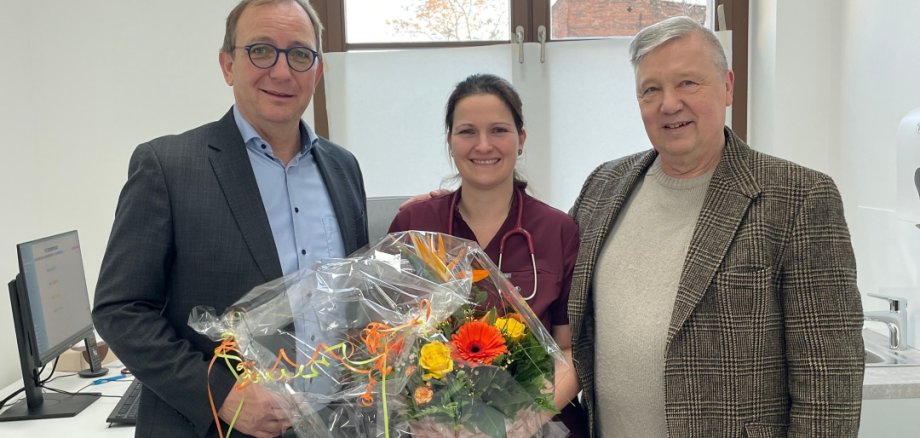
The photo (Salzlandkreis, Press Office) shows the new GP in Bernburg, Friederike Schönburg-Liedtke, with District Administrator Markus Bauer and Professor Gerd Meißner (pictured right). He is a specialist in surgery in the orthopaedics and surgery practice of the Medical Care Centre (MVZ) Dessau, which is already located in the former Postcarré. Both welcome the increased growth at the site.

Help with accessibility

  • General

    We strive to make our websites accessible to all users. Details can be found in our accessibility statement. You can send us your suggestions for improvement using our accessibility feedback form.

  • Font size

    To adjust the font size, please use the following key combinations:

    Larger

    command
    +

    Smaller

    command

    Larger

    Ctrl
    +

    Smaller

    Ctrl
  • Keyboard navigation

    Use TAB and SHIFT + TAB to navigate through next/previous links, form elements, and buttons.

    Use ENTER to open links and interact with elements.

  • Contrast mode

    Press the following key combination to reduce or increase the contrast:

    Enlarge

    control
    option
    command
    .

    Decrease

    control
    option
    command
    ,
    Note: The shortcuts must be activated in the system settings of the operating system.

    Press the left ALT key + left SHIFT key + PRINT to quickly turn high contrast mode on or off.

  • Invert colours

    Press the following key combination to switch the colour inversion on and off:

    control
    option
    command
    8
    Note: The shortcuts must be activated in the system settings of the operating system.

    First activate the screen magnifier and then switch the colour inversion on and off with the following key combinations:

    1. screen magnifier

    +

    2. invert colours

    Ctrl
    Old
    I
  • Screen magnifier

    Press the following key combinations to use the screen magnifier:

    Switch on/off

    option
    command
    8

    Enlarge view

    option
    command
    =

    Zoom out view

    option
    command
    Note: The shortcuts must be activated in the system settings of the operating system.

    Switch on / Enlarge view

    +

    Zoom out view