This page has been automatically translated. There may therefore be discrepancies and inaccuracies in the text. Only the original version is binding. Legal claims arising from the content of the translated version are excluded.

‘The Black Dog’ – Making depression visible

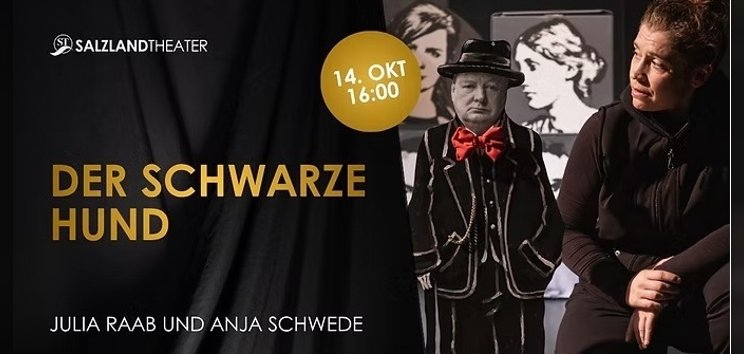
Staßfurt. ‘The Black Dog’ is coming to the Salzlandkreis. On Wednesday 14 October at 4 pm, this special play, which raises awareness of depression and mental health issues, can be seen at the Salzlandtheater in Staßfurt, with free admission for interested guests, young people aged 16 and over, and adults. All that is required is prior registration.
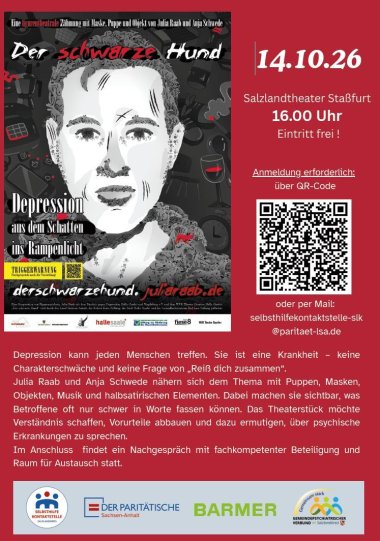
Poster for *The Black Dog*

This was made possible by the Salzlandkreis Self-Help Contact Centre, the BARMER health insurance fund and the Salzlandkreis Community Psychiatric Association (GPV). Michaela Lange, the district administration’s mental health coordinator, also coordinates the work within the GPV: “We, the organisers, see this afternoon at the theatre as a low-threshold opportunity for support and conversation. That is why, alongside the play, individual network partners and stakeholders are also present as personal points of contact.”

‘The Black Dog’ – Depression can affect anyone. It is an illness, not a weakness of character, and it is not simply a matter of ‘pulling yourself together’. In the play, Julia Raab and Anja Schwede explore the subject using puppets, masks, props, music and semi-satirical elements. They bring to light what those affected often find difficult to put into words. The play aims to foster understanding, break down prejudices and encourage people to talk about mental health issues.

This will be followed by a debriefing session involving experts in the field, with ample opportunity for discussion.

“The Black Dog” | 14 October 2026, 4.00 pm | Salzlandtheater Staßfurt | free admission | Register by email at:

Or via the following link:

Help with accessibility

  • General

    We strive to make our websites accessible to all users. Details can be found in our accessibility statement. You can send us your suggestions for improvement using our accessibility feedback form.

  • Font size

    To adjust the font size, please use the following key combinations:

    Larger

    ⌘command
    +

    Smaller

    ⌘command
    –

    Larger

    Ctrl
    +

    Smaller

    Ctrl
    –
  • Keyboard navigation

    Use TAB and SHIFT + TAB to navigate through next/previous links, form elements, and buttons.

    Use ENTER to open links and interact with elements.

  • Contrast mode

    Press the following key combination to reduce or increase the contrast:

    Enlarge

    ⌃control
    ⌥option
    ⌘command
    .

    Decrease

    ⌃control
    ⌥option
    ⌘command
    ,
    Note: The shortcuts must be activated in the system settings of the operating system.

    Press the left ALT key + left SHIFT key + PRINT to quickly turn high contrast mode on or off.

  • Invert colours

    Press the following key combination to switch the colour inversion on and off:

    ⌃control
    ⌥option
    ⌘command
    8
    Note: The shortcuts must be activated in the system settings of the operating system.

    First activate the screen magnifier and then switch the colour inversion on and off with the following key combinations:

    1. screen magnifier

    +

    2. invert colours

    Ctrl
    Old
    I
  • Screen magnifier

    Press the following key combinations to use the screen magnifier:

    Switch on/off

    ⌥option
    ⌘command
    8

    Enlarge view

    ⌥option
    ⌘command
    =

    Zoom out view

    ⌥option
    ⌘command
    –
    Note: The shortcuts must be activated in the system settings of the operating system.

    Switch on / Enlarge view

    +

    Zoom out view

    –