World time clock in Aschersleben
Half-timbered houses in Schönebeck
Lock in Bernburg (Saale)
Saalefee on the river Saale
This page has been automatically translated. There may therefore be discrepancies and inaccuracies in the text. Only the original version is binding. Legal claims arising from the content of the translated version are excluded.

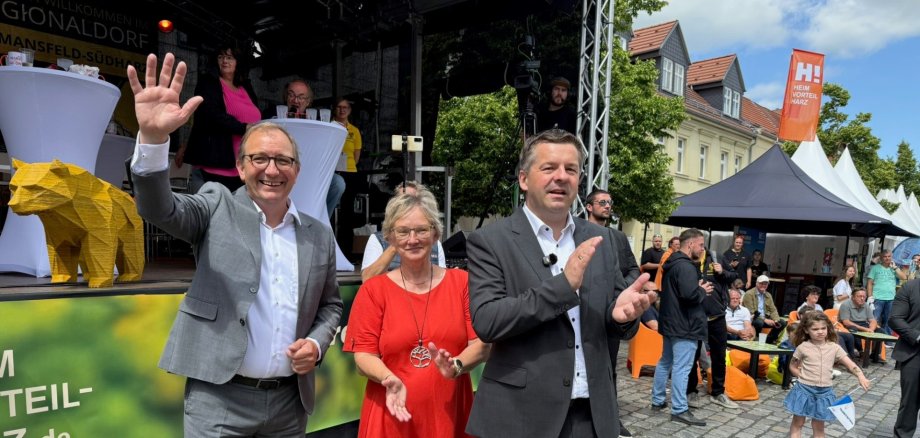
Saxony-Anhalt Day in Bernburg

Grateful for diverse commitment that makes a difference

Bernburg. “That was truly the best publicity one could wish for the district town of Bernburg and the Salzlandkreis. I am absolutely impressed and grateful for the commitment shown by so many clubs, aid organisations and companies, above all those in charge at the City of Bernburg, led by Mayor Dr Silvia Ristow.”

With these words, District Administrator Markus Bauer expressed his gratitude to all those who made last weekend’s Saxony-Anhalt Day in Bernburg an event that many will remember for years and decades to come. According to the state government, more than 150,000 visitors came to the district town of Bernburg over the three days, with thousands watching the grand parade on Sunday morning.

“I think we have all, together, made a lasting impression on visitors from across Saxony-Anhalt, showing them what the region is capable of and what it stands for: a great deal of strong commitment that makes a real difference! For a rural region between Halle and Magdeburg where life and work are very good.” In this respect, Markus Bauer believes the festival fitted perfectly with the Salzlandkreis 2030 future strategy.

The District Administrator is convinced that the slogan “Where Saxony-Anhalt comes together” was the perfect choice. “Every initiative, no matter how small, and every activity on offer ensured that there were so many wonderful encounters.” He continued: “We presented a wonderful image. And everyone contributed their own touch of colour, so to speak. Thank you for that.”

Help with accessibility

  • General

    We strive to make our websites accessible to all users. Details can be found in our accessibility statement. You can send us your suggestions for improvement using our accessibility feedback form.

  • Font size

    To adjust the font size, please use the following key combinations:

    Larger

    command
    +

    Smaller

    command

    Larger

    Ctrl
    +

    Smaller

    Ctrl
  • Keyboard navigation

    Use TAB and SHIFT + TAB to navigate through next/previous links, form elements, and buttons.

    Use ENTER to open links and interact with elements.

  • Contrast mode

    Press the following key combination to reduce or increase the contrast:

    Enlarge

    control
    option
    command
    .

    Decrease

    control
    option
    command
    ,
    Note: The shortcuts must be activated in the system settings of the operating system.

    Press the left ALT key + left SHIFT key + PRINT to quickly turn high contrast mode on or off.

  • Invert colours

    Press the following key combination to switch the colour inversion on and off:

    control
    option
    command
    8
    Note: The shortcuts must be activated in the system settings of the operating system.

    First activate the screen magnifier and then switch the colour inversion on and off with the following key combinations:

    1. screen magnifier

    +

    2. invert colours

    Ctrl
    Old
    I
  • Screen magnifier

    Press the following key combinations to use the screen magnifier:

    Switch on/off

    option
    command
    8

    Enlarge view

    option
    command
    =

    Zoom out view

    option
    command
    Note: The shortcuts must be activated in the system settings of the operating system.

    Switch on / Enlarge view

    +

    Zoom out view