This page has been automatically translated. There may therefore be discrepancies and inaccuracies in the text. Only the original version is binding. Legal claims arising from the content of the translated version are excluded.

An important part of the educational landscape in the Salzland district

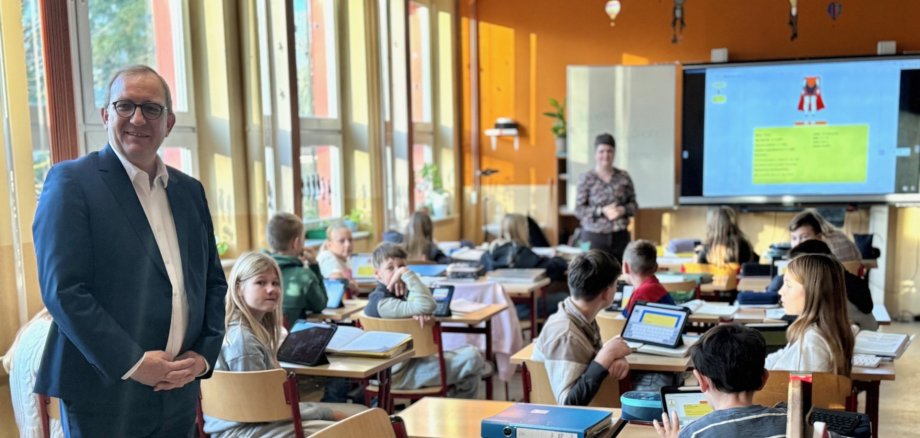
Schneidlingen. District Administrator Markus Bauer visited the independent secondary school “LebenLernen” in Schneidlingen to belatedly congratulate Headteacher Elke Atzler and her team on the school’s 20th anniversary. “The secondary school makes an important contribution to the diverse educational landscape in the Salzlandkreis. The school’s concept and the overall environment appeal to many families, even beyond Hecklingen’s town boundaries.” That is why he felt it was important to express his appreciation for their daily work in person. The District Administrator thanked Elke Atzler on behalf of all the teachers for their dedication. He was unable to attend the anniversary celebrations due to prior commitments, but promised to pay a personal visit.

In addition to a tour of the school building, various pupils showed the District Administrator how tablets enrich lessons. A diary about a trip to London was presented. There was also a Faust production that pupils had produced with the help of artificial intelligence. According to the headmistress, the school is now technically very well equipped. This makes modern teaching possible. Headmistress Elke Atzler also proudly reported on the pupils' commitment to their own school newspaper, which regularly receives awards.

The independent secondary school in Schneidlingen is run by the Oskar Kämmer School, which is active throughout Germany. The school's concept is based on the idea that pupils should be able to organise themselves and show initiative in order to develop personally, socially and professionally. In the higher grades, the focus is also on vocational orientation. The school currently has almost 140 pupils.

Help with accessibility

  • General

    We strive to make our websites accessible to all users. Details can be found in our accessibility statement. You can send us your suggestions for improvement using our accessibility feedback form.

  • Font size

    To adjust the font size, please use the following key combinations:

    Larger

    ⌘command
    +

    Smaller

    ⌘command
    –

    Larger

    Ctrl
    +

    Smaller

    Ctrl
    –
  • Keyboard navigation

    Use TAB and SHIFT + TAB to navigate through next/previous links, form elements, and buttons.

    Use ENTER to open links and interact with elements.

  • Contrast mode

    Press the following key combination to reduce or increase the contrast:

    Enlarge

    ⌃control
    ⌥option
    ⌘command
    .

    Decrease

    ⌃control
    ⌥option
    ⌘command
    ,
    Note: The shortcuts must be activated in the system settings of the operating system.

    Press the left ALT key + left SHIFT key + PRINT to quickly turn high contrast mode on or off.

  • Invert colours

    Press the following key combination to switch the colour inversion on and off:

    ⌃control
    ⌥option
    ⌘command
    8
    Note: The shortcuts must be activated in the system settings of the operating system.

    First activate the screen magnifier and then switch the colour inversion on and off with the following key combinations:

    1. screen magnifier

    +

    2. invert colours

    Ctrl
    Old
    I
  • Screen magnifier

    Press the following key combinations to use the screen magnifier:

    Switch on/off

    ⌥option
    ⌘command
    8

    Enlarge view

    ⌥option
    ⌘command
    =

    Zoom out view

    ⌥option
    ⌘command
    –
    Note: The shortcuts must be activated in the system settings of the operating system.

    Switch on / Enlarge view

    +

    Zoom out view

    –