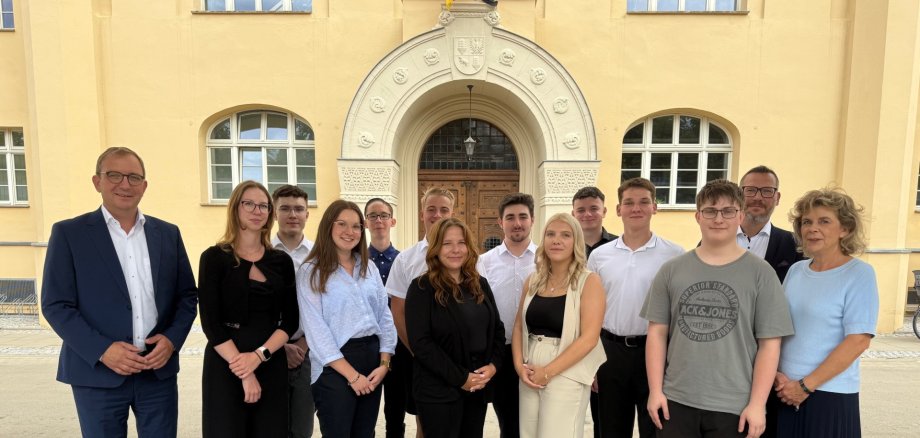
Bernburg. District Administrator Markus Bauer personally welcomed the new trainees of the Salzlandkreis district on their first day of training on Monday – together with training manager Manuela Jansen and Mathias Kiegeland, head of the specialist department responsible for human resources. Erik Wohlfeil from Aschersleben, Mia Leonie Walkhoff from Wolmirsleben, Oskar Lorenz from Bördeland, Elias Konstantin Richter from Welsleben and Amy Schöbe from Drosa want to learn the profession of administrative assistant for local government. Niclas Worm from Aschersleben wants to become an IT specialist for system integration and Felix Strätz from Wörbzig wants to become an IT specialist for application development. Lukas Schimm from Könnern and Rebecca Sofia Schulze from Schönebeck are studying public administration in a bachelor's degree programme at Harz University of Applied Sciences with the support of the Salzlandkreis district, while Sina Kornetzki from Bernburg and Oliver Trinka from Aschersleben are studying administrative digitisation and information technology at Harz University of Applied Sciences.
Firstly, the District Administrator congratulated all those who had successfully completed the demanding application process. "You have proven that you have the best prerequisites for learning an important profession with one of the best employers in the region," said Markus Bauer. Then it was time for mutual introductions. Markus Bauer said that the Salzland district offers a wide range of tasks in the area of public services. This is an important task and the expectations of future employees are correspondingly high. He also urged the young people to work as part of a team, to think for the team and to set new impulses. "We want to continue to develop as a modern service provider." The basis for this is not only legally compliant behaviour in accordance with the relevant principles.
The new trainees are now also getting to know the "older" trainees at the district administration in joint projects. In the first few days and weeks of their practical training, they will familiarise themselves with the structure and areas of responsibility of the district administration and with administrative procedures in the lessons that accompany their work in the administration. The students and prospective IT specialists will then begin their semester at the Harz University of Applied Sciences and the "Gutjahr" vocational school in Halle this month. The first theoretical lessons at the "Eike von Repgow" vocational school in Magdeburg will begin at the end of the year for the administrative assistant trainees. With the eleven "newcomers", the district administration is currently training a total of 14 young people as administrative assistants, five as IT specialists and five students.