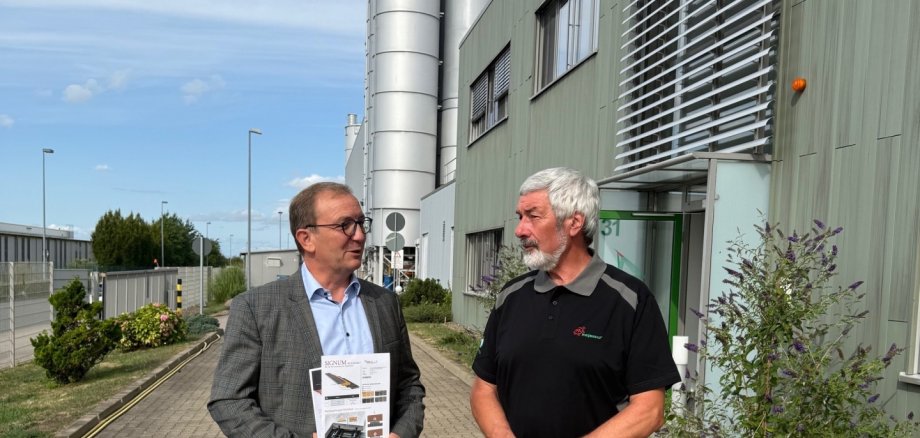
Aschersleben. Twenty years at full steam – wood-based materials manufacturer NOVO-TECH GmbH & Co. KG celebrated a special anniversary a few days ago. District Administrator Markus Bauer personally congratulated founder, owner and managing director Holger Sasse. "The history of the company and its focus on sustainability are another outstanding example of the Salzlandkreis district as an attractive location for business, science and living."
The Aschersleben-based company claims to be one of the largest manufacturers of sustainable decking boards and façade elements. What makes it special is its use of natural resources. "We focus on product longevity and recyclability - all in order to strengthen the circular economy," explains Holger Sasse. The majority of customers are located in German-speaking countries. The company also manufactures special tools and customised machines. The company currently employs 168 people.
District Administrator Markus Bauer regularly visits companies in the Salzland district to find out about developments and to be able to represent the Salzland district even better. He has known NOVO-TECH Managing Director Holger Sasse for over ten years. "I am impressed by how innovative the company is and how it is opening up new areas of business." The District Administrator refers to the Salzlandkreis 2030 future strategy, which sets the guidelines for sustainable growth in the region.
But what is also important to Markus Bauer is the constant commitment to society in the Salzland district. After all, not only well-paid jobs are important, but also the commitment of employees in voluntary work. "It's a win-win situation for everyone involved."
Holger Sasse's career is impressive: in 1990, the civil engineer set up his own business as a building contractor. 15 years later, he founded NOVO-TECH GmbH & Co. KG, which is now celebrating a special anniversary. Over the past two decades, he has not only developed high-quality and sustainable products in the group of companies, he has also been honoured with several awards for various innovations in the field. Since 2023, for example, he has been able to recycle used rotor blades from wind turbines. His work was and is based on the cradle-to-cradle concept.