This page has been automatically translated. There may therefore be discrepancies and inaccuracies in the text. Only the original version is binding. Legal claims arising from the content of the translated version are excluded.

From the depot to the light

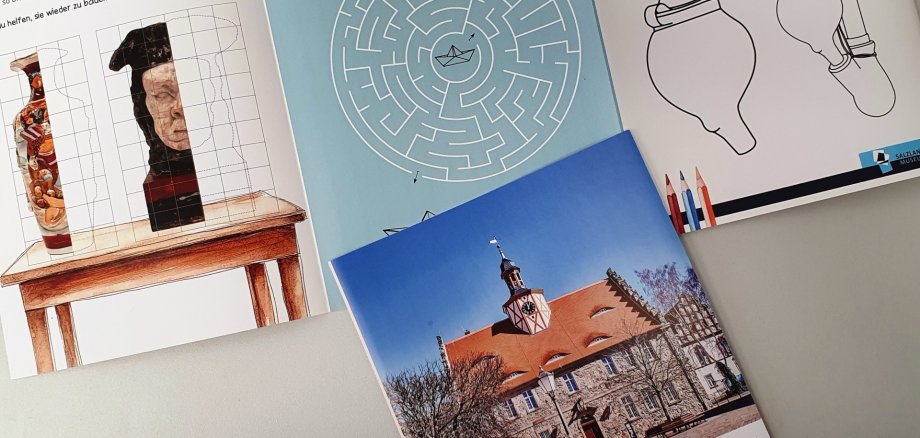
Schönebeck. The special exhibition “From the Storage to the Spotlight” is on display at the Salzlandmuseum in Schönebeck until 14 September. A visit is particularly worthwhile for children on the school holidays at the moment, as there is also a free activity booklet with lots of puzzles to help them explore the special exhibition in a fun way.

Objects from the collection, which is over one hundred years old, are presented. They are usually kept in the museum depot. They are rarely shown to the public. For the current special exhibition, they have been brought to light to show visitors the diversity of the collection beyond the permanent exhibition.

On display are such unusual exhibits as flower paintings made with braided human hair, a toy steam engine powered by alcohol, a glass butter churn and historical photographs and views of Schönebeck. Numerous such exhibits of everyday culture, household items, folklore and technology are complemented by works of art by Dario Malkowski and Hans Helmbrecht.

The special exhibition "From the depot to the light" at the Salzland Museum was developed by Zeina Alawak, who is completing a voluntary social year at the museum, together with the museum team.

Opening hours: Tuesday and Friday 10 am to 4 pm, Thursday 1 pm to 5 pm and Saturday and Sunday 2 pm to 6 pm.

Help with accessibility

  • General

    We strive to make our websites accessible to all users. Details can be found in our accessibility statement. You can send us your suggestions for improvement using our accessibility feedback form.

  • Font size

    To adjust the font size, please use the following key combinations:

    Larger

    ⌘command
    +

    Smaller

    ⌘command
    –

    Larger

    Ctrl
    +

    Smaller

    Ctrl
    –
  • Keyboard navigation

    Use TAB and SHIFT + TAB to navigate through next/previous links, form elements, and buttons.

    Use ENTER to open links and interact with elements.

  • Contrast mode

    Press the following key combination to reduce or increase the contrast:

    Enlarge

    ⌃control
    ⌥option
    ⌘command
    .

    Decrease

    ⌃control
    ⌥option
    ⌘command
    ,
    Note: The shortcuts must be activated in the system settings of the operating system.

    Press the left ALT key + left SHIFT key + PRINT to quickly turn high contrast mode on or off.

  • Invert colours

    Press the following key combination to switch the colour inversion on and off:

    ⌃control
    ⌥option
    ⌘command
    8
    Note: The shortcuts must be activated in the system settings of the operating system.

    First activate the screen magnifier and then switch the colour inversion on and off with the following key combinations:

    1. screen magnifier

    +

    2. invert colours

    Ctrl
    Old
    I
  • Screen magnifier

    Press the following key combinations to use the screen magnifier:

    Switch on/off

    ⌥option
    ⌘command
    8

    Enlarge view

    ⌥option
    ⌘command
    =

    Zoom out view

    ⌥option
    ⌘command
    –
    Note: The shortcuts must be activated in the system settings of the operating system.

    Switch on / Enlarge view

    +

    Zoom out view

    –